

Manufacturing execution for complex hardware

A programmable MES for complex manufacturing.

Run changing processes without losing traceability. Procedures, BOMs, work orders, and inventory in one fast, live system that you can program when your operation demands it.

From engineers who've built an MES before.

Talk to us See it in action
kestrel.factorialhq.com
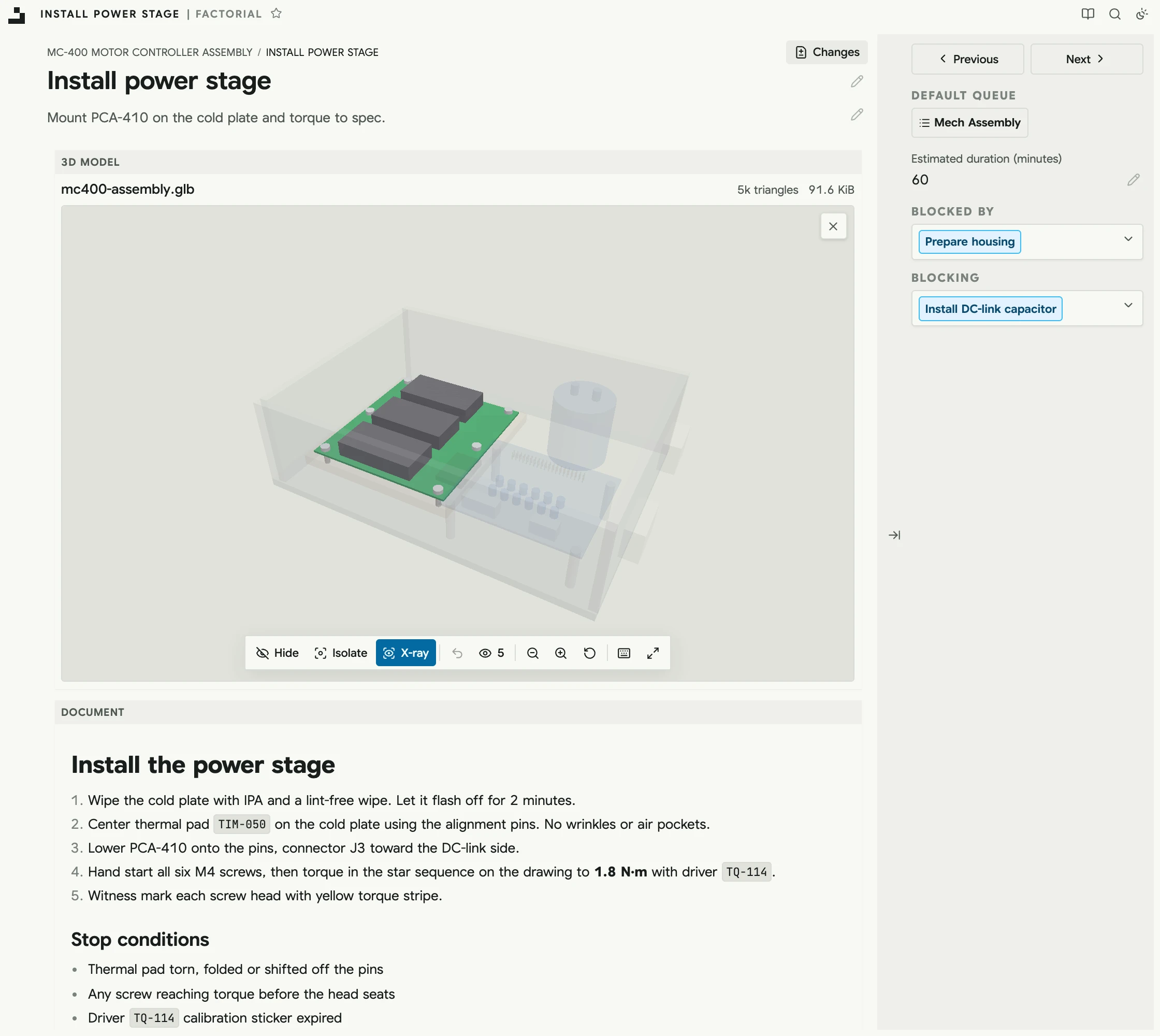
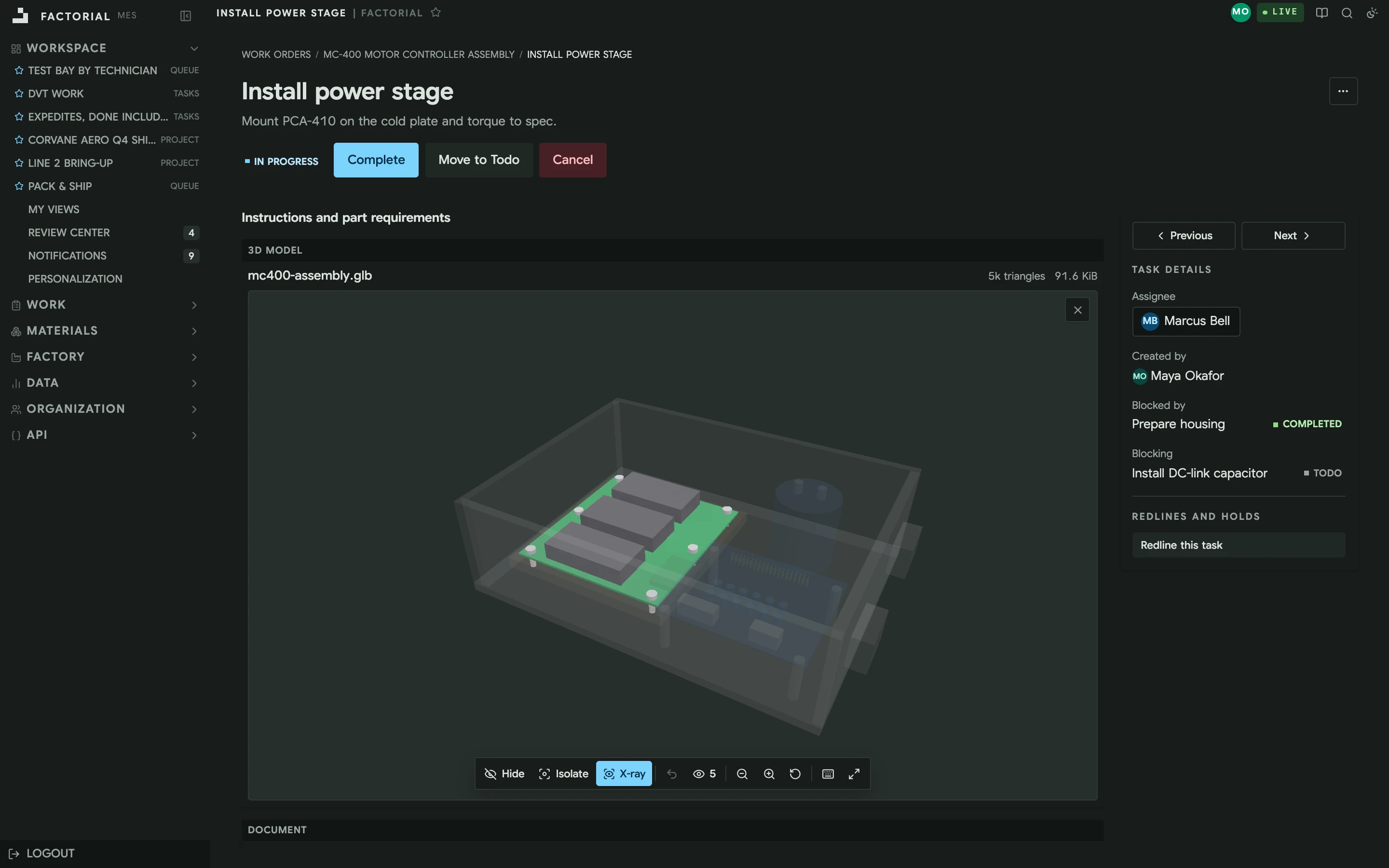
A technician's task in Factorial: the assembly's 3D model open on the step's view, the power stage board solid and the rest see-through, beside the task's status and details

Built for teams building

satellites / nuclear reactors / electric aircraft / autonomous boats / robots / energy systems

Who you'll work with

We've built an MES before.

Orion Follett Andrew Poggione

Co-founders & engineers

Orion Follett & Andrew Poggione

We led backend teams at First Resonance, building ION, an MES for manufacturers in aerospace, energy, and defense. Factorial is the one we'd build knowing what we know now. You work directly with us from the first conversation through rollout, and we want to be on the floor with you, seeing how work really moves.

Why we're building an MES again →
The product

A complete manufacturing system on day one. Programmable when you need more.

BOMs, procedures, work orders, inventory, queues, and traceability are first-class parts of one system, so you don't have to build and maintain dozens of internal apps.

01 · Audit trail

Everything that happened, who did it, and when.

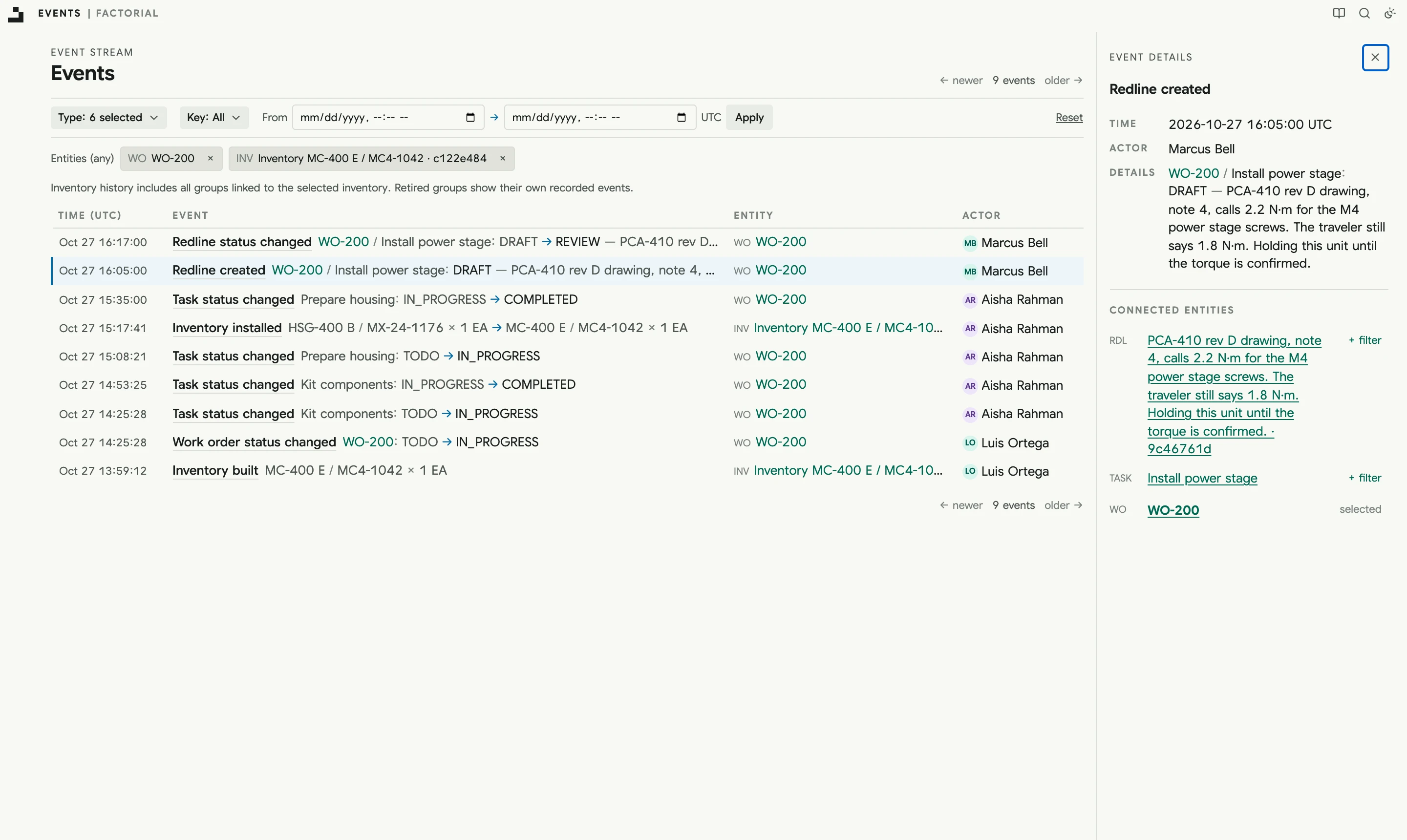
Every status change, install, build, and redline lands in one event stream as the work happens, with the person or API key behind it. Filter down to one unit and an auditor's question becomes a link you can send.

  • → Filter by unit, work order, event type, or time
  • → Every event links everything it touched
  • → Recorded by the system, never written by hand
kestrel.factorialhq.com/events
The event stream filtered to one motor controller: built, started, a housing installed, then held by a torque redline, each with who did it and when
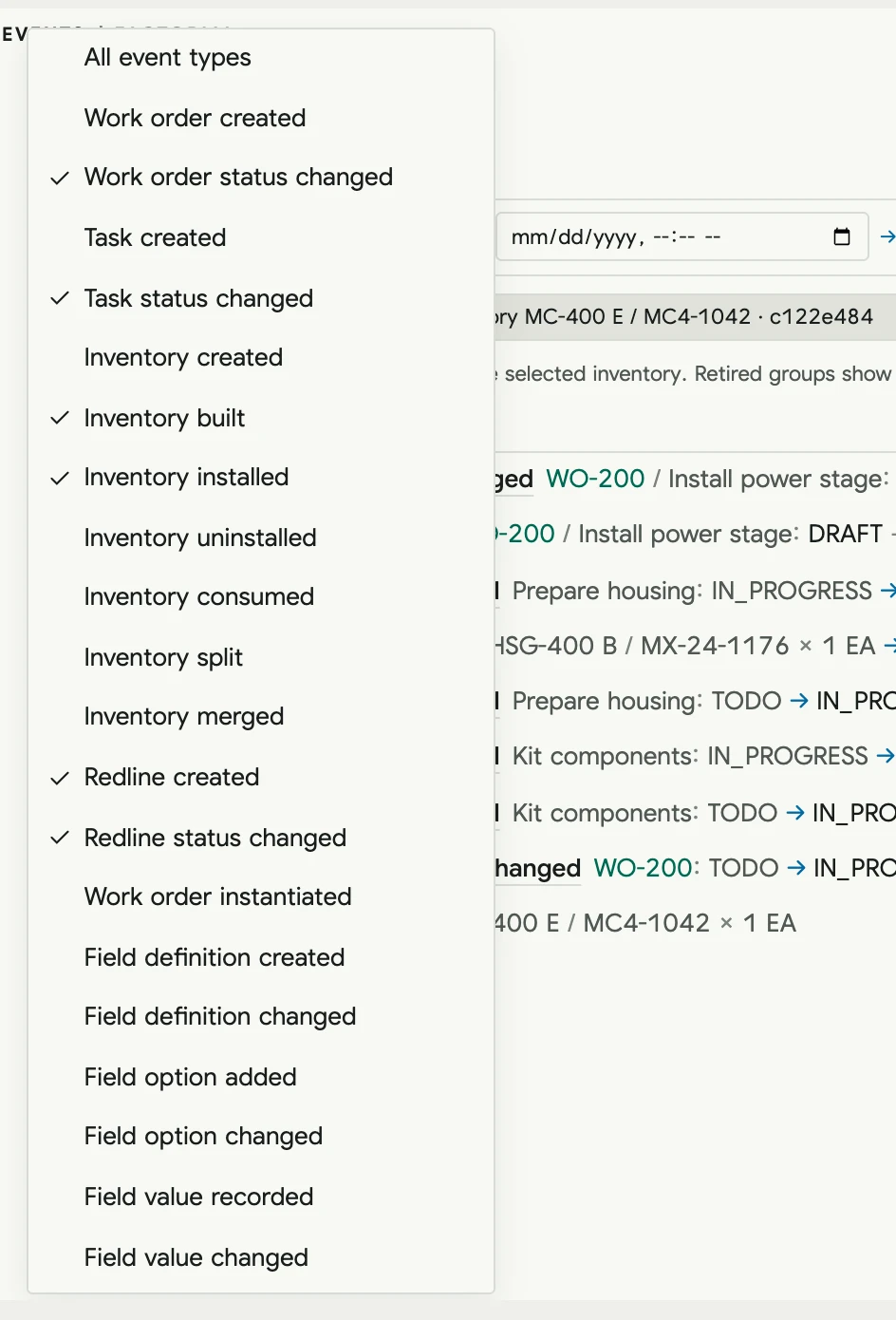
The event type filter with six kinds of event checked

02 · Traceability by default

Every unit carries its whole history.

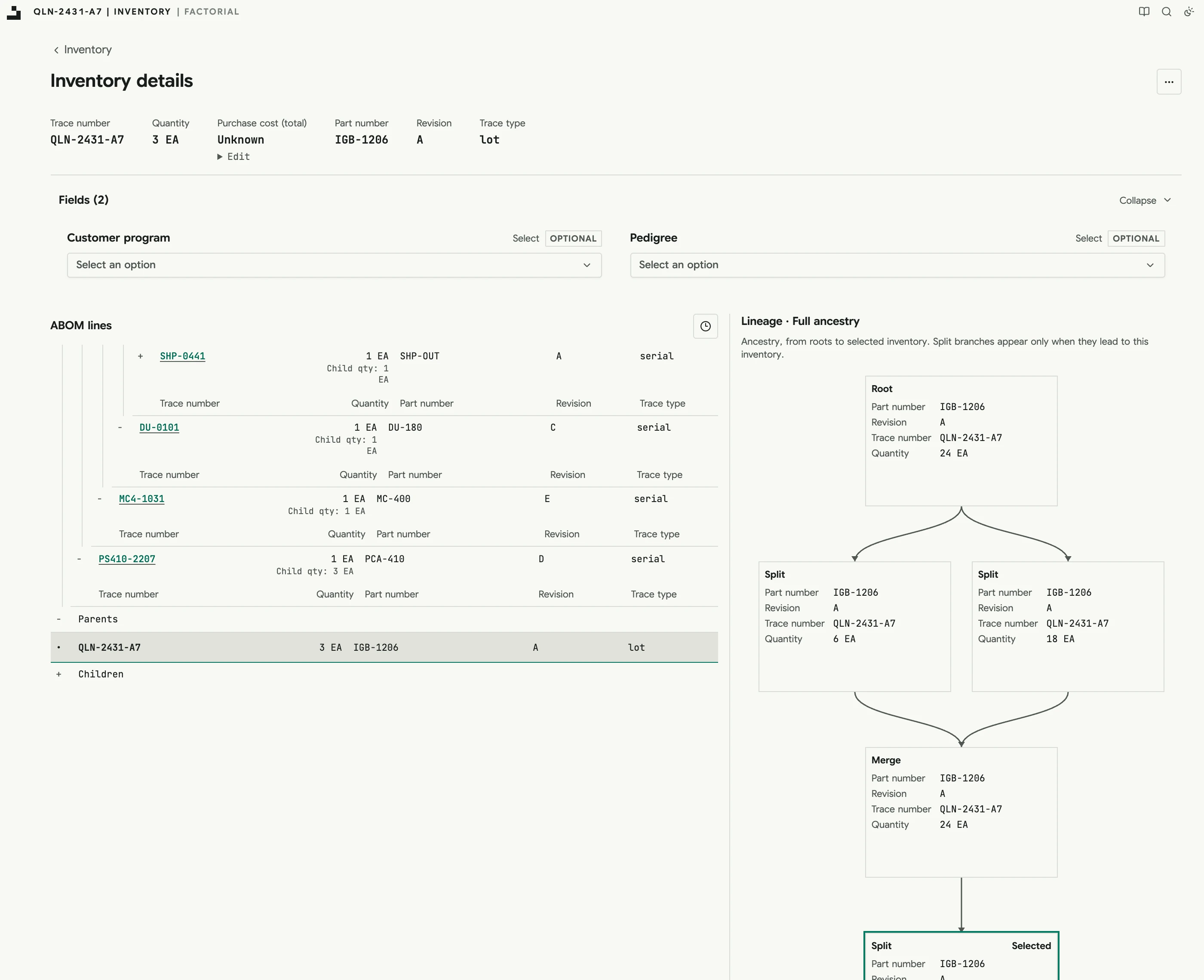
Factorial records every installation, consumption, split, merge, technician, location, tool, and timestamp as the work happens. Open any part and see what it went into and where it came from, side by side. Inventory records say what is known instead of inventing certainty.

  • → As-built genealogy, many levels deep
  • → Lot lineage through every split and merge
  • → Containment: which units used this lot?
kestrel.factorialhq.com
Three IGBTs from one supplier lot. Left: the board, controller, and drive unit they were built into. Right: the lot's lineage through an inspection split, a merge, and the split that installed them
kestrel.factorialhq.com
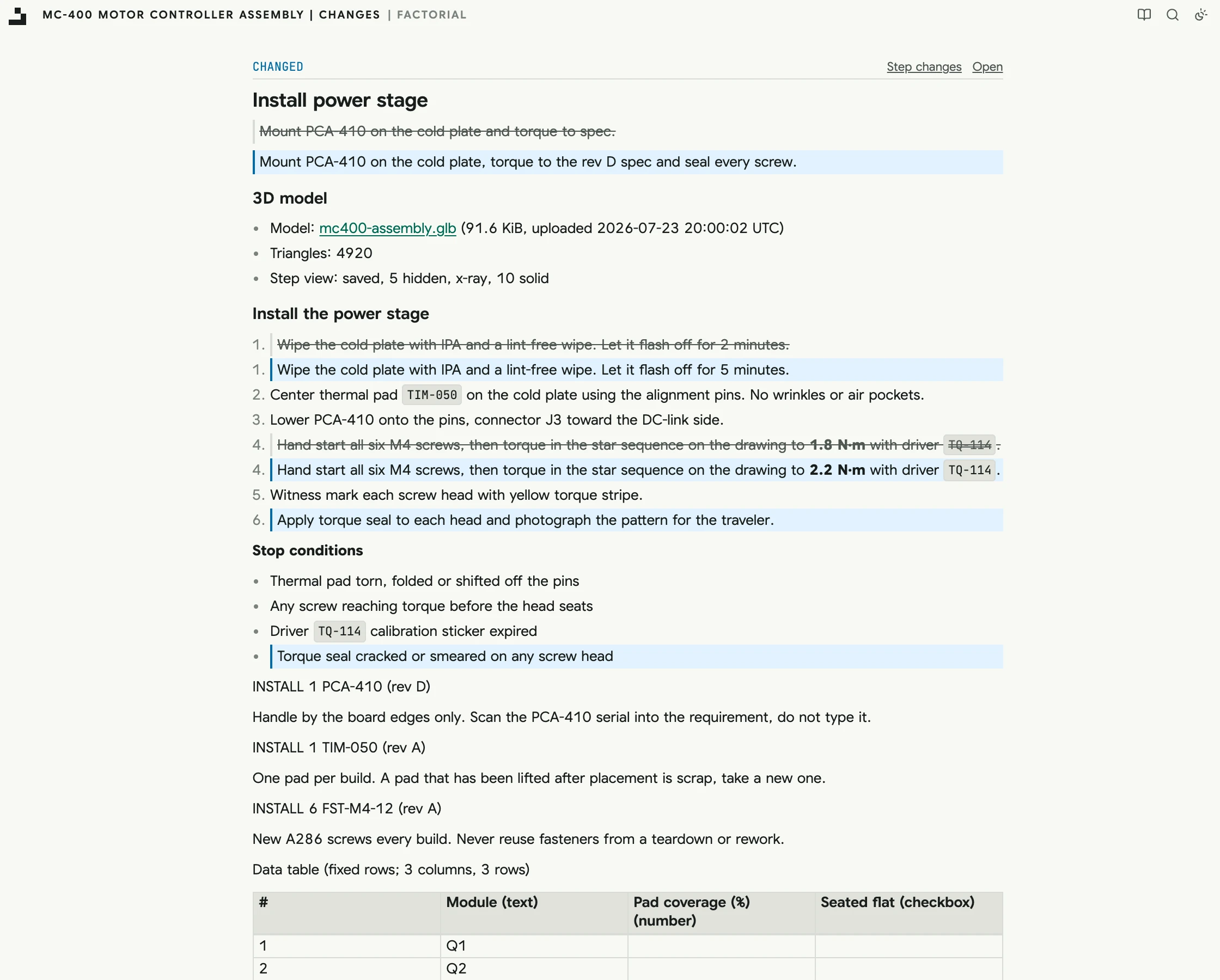
Changes to one step between two releases of a procedure: a new description, edited instructions, a new stop condition, and a newer drawing
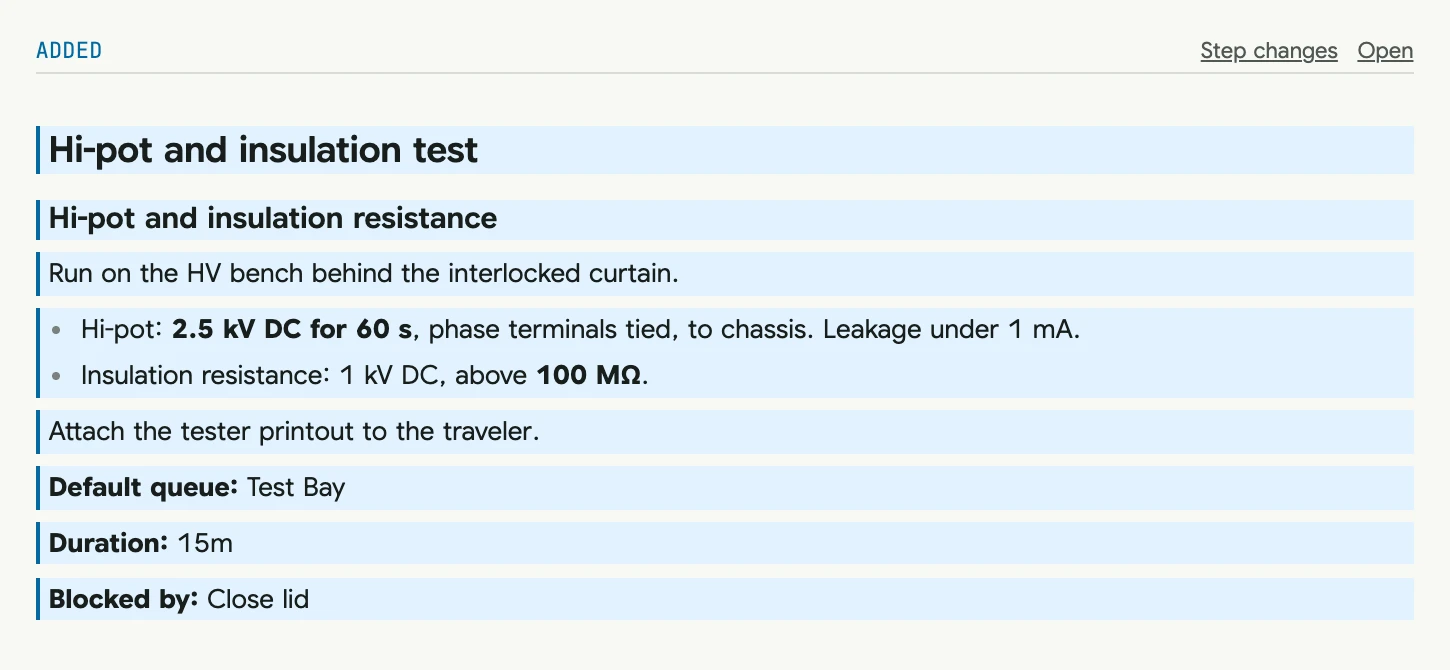
Changes since v3: 5 changed, 1 added
A hi-pot and insulation test step added by the revision

03 · Change control

Change the process without losing control of it.

See exactly what changed between revisions, release through required approvals, and redline work that is already in progress without erasing its history. Start light on prototypes and add rigor as designs settle.

  • → Revision diffs for steps, blocks, and BOMs
  • → Redlines with holds, reasons, and reviewers
  • → One review center with overdue flags

Plugins

Connect everything. Run it your way.

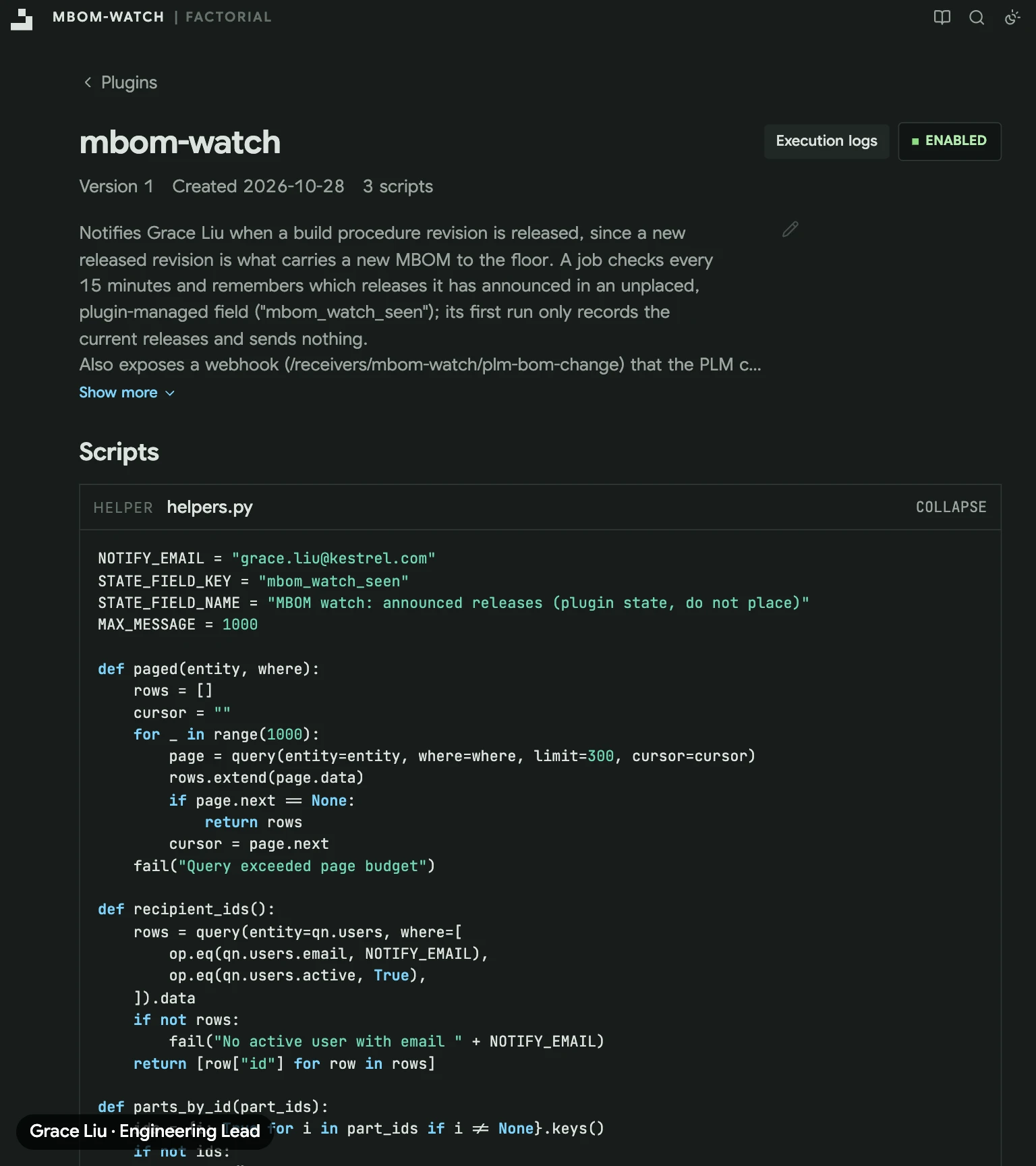
Integrate with any vendor, machine, or tool and keep your data in sync. Then customize your factory to run the way your physical workflows demand. You don't have to write the code by hand: our plugin system is built for the age of AI agents. The fctl CLI gives your agents the know-how to test plugins safely, check execution logs, and understand the ins and outs of the plugin system.

Integrate anything
ERP, PLM, test stands, torque tools, and suppliers. Complete APIs, webhooks, and bulk import and export keep every system in sync.
Versioned scripts
Hooks, actions, receivers, and jobs in a familiar subset of Python. We'll help you write them.
Custom data
Custom fields, analytics, and ad hoc SQL over your own manufacturing data.
Every actor traced
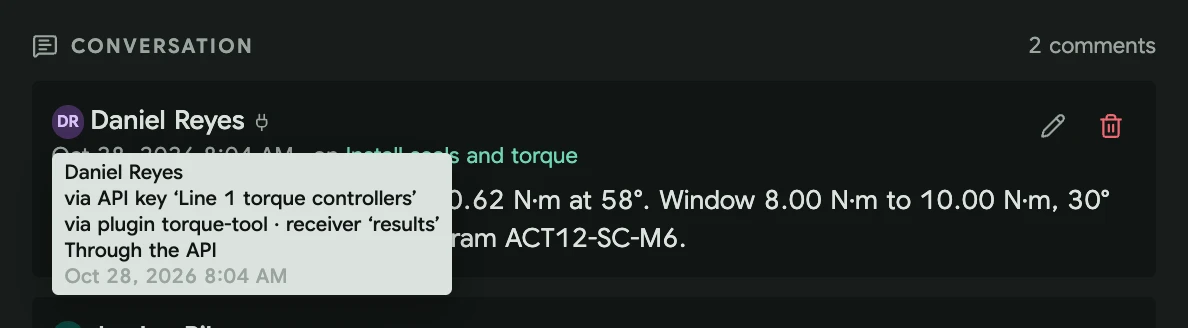
See who did it and how: the person, the API key or none at all, and which plugin made the change. Still fully traced.

Up and running fastWe bring your data into Factorial, up to date and syncing with your other systems on day one, so your team starts from what's real.

Claude Code
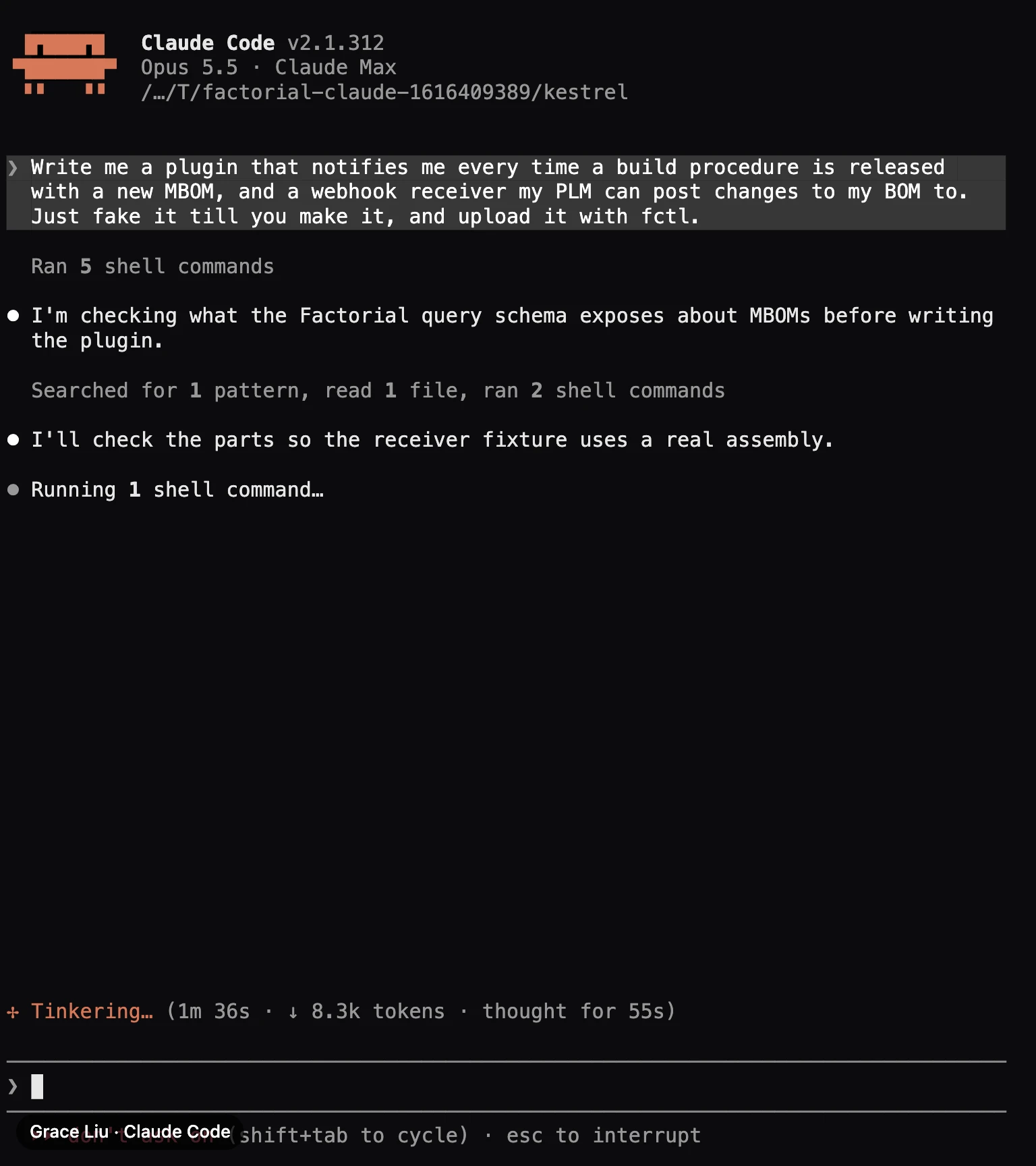
Claude Code in a terminal, asked for a plugin that notifies Grace of new MBOMs and a receiver for the PLM, working through it with fctl
kestrel.factorialhq.com/plugins
The plugin Claude Code uploaded, open in Factorial with its scripts, switched on
A comment the torque receiver left, credited to Daniel Reyes through the line's API key and the torque-tool plugin

Claude Code writing, testing, and uploading a plugin for our demo factory with fctl. Click to watch. Read the plugin docs →

04 · Plan and actual

Model the work. Then see where the time went.

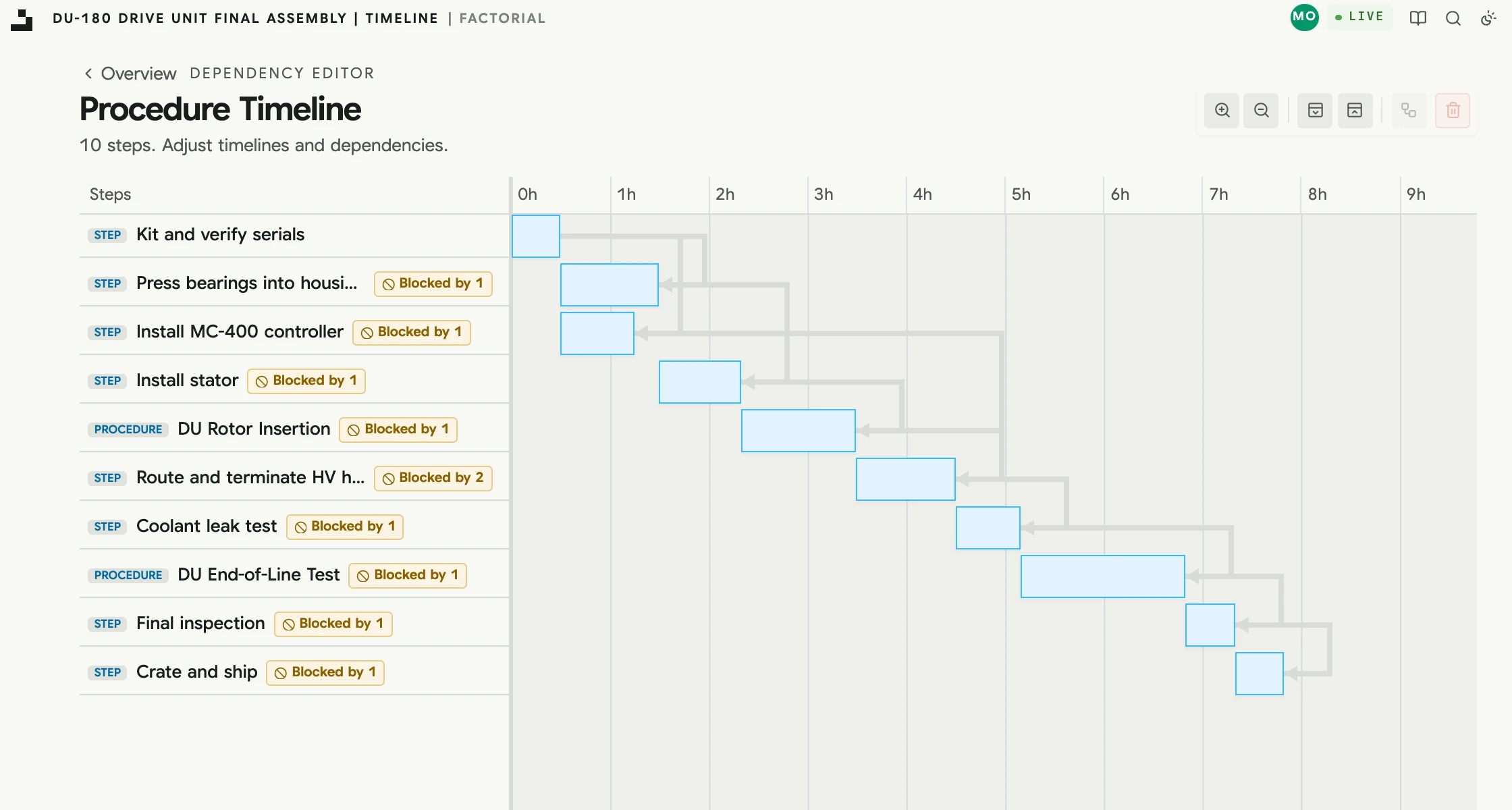
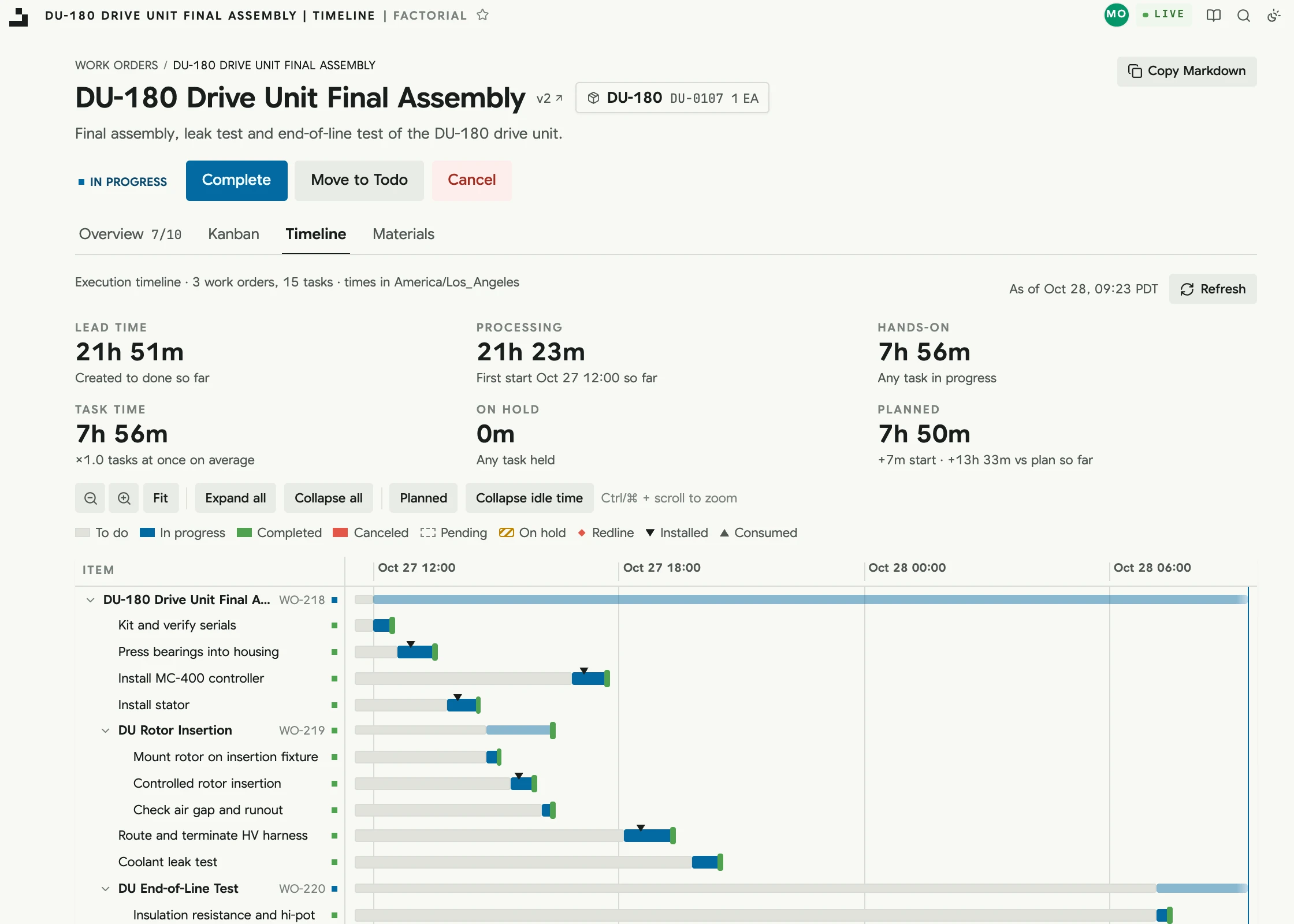
Steps, dependencies, durations, part requirements, and instructions live in one versioned model, and its timeline shows the critical path before anything reaches the floor. Once work starts, every unit gets an execution timeline of its own: hands-on time, waiting, holds, and how it is running against the plan.

  • → Critical path and parallel work at a glance
  • → Lead time, hands-on time, and holds per unit
  • → Planned against actual on every work order
kestrel.factorialhq.com
Procedure timeline showing the critical path and parallel steps
kestrel.factorialhq.com
Execution timeline of a drive unit in progress: lead time, hands-on time, and time on hold, with every task and nested work order on one time axis
kestrel.factorialhq.com
A released procedure step with its 3D model open on the step's view: the power stage board, its IGBT modules and its six screws solid, the rest see-through, over the step's instructions
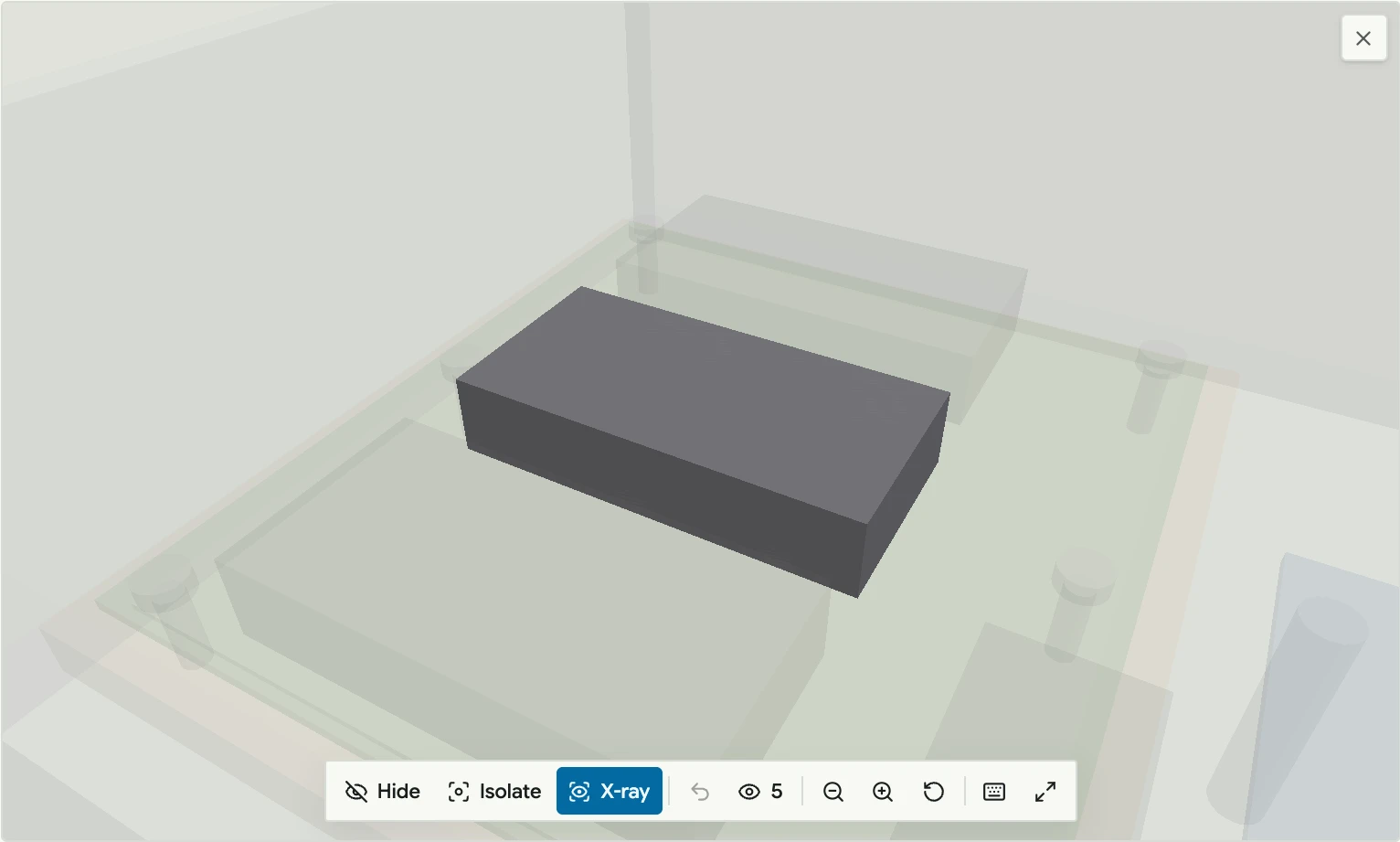
One IGBT module isolated, everything around it ghosted

05 · Instructions in 3D

Your CAD, open on the step that needs it.

Models belong to the part and show on any step. An author saves the view a step opens on, so a technician lands on the parts that matter instead of hunting through the whole assembly. Turn it, hide what is in the way, or isolate one part, right on the task.

  • → STEP converts in the browser, never a third party
  • → Saved step views, x-ray, hide, isolate
  • → Full screen on tablets at the station

06 · On the floor

Everything a technician needs, on one live screen.

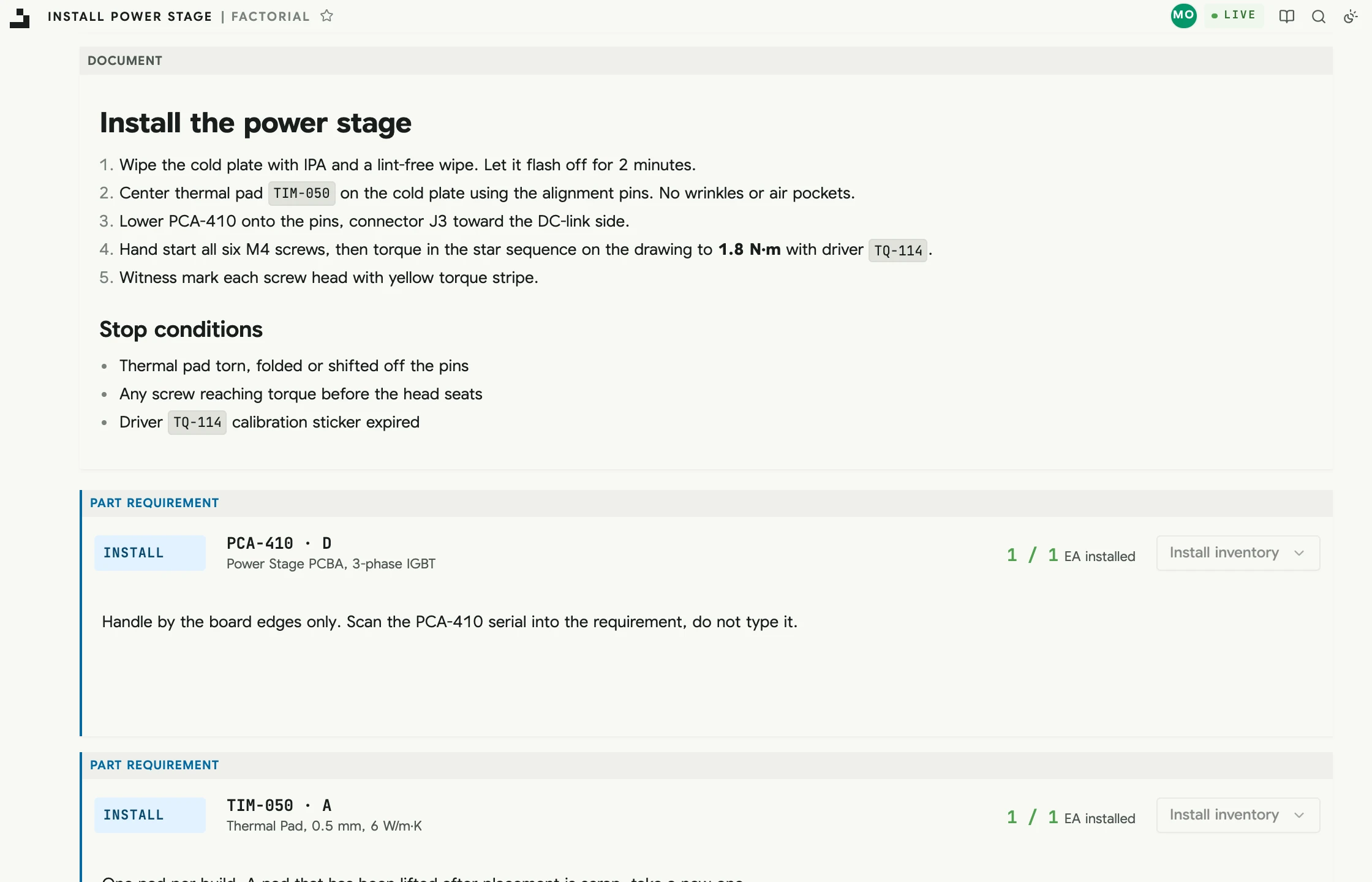
Instructions, part requirements, scanning, and discussion sit on the task itself. Factorial uses the current screen to decide what a scan should do, and every screen is live, so nobody works from stale state.

  • → Scan-first installs and consumption
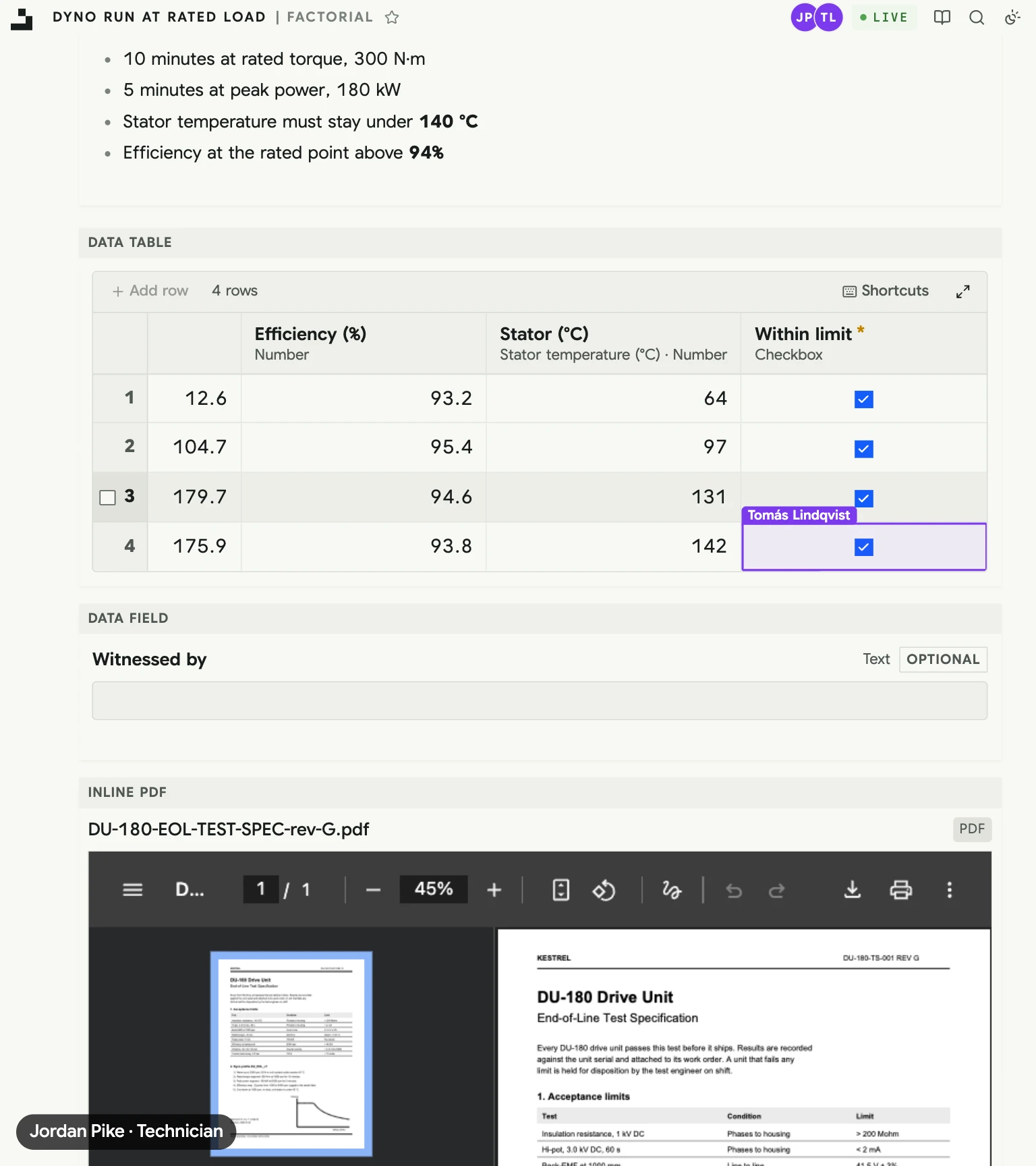
  • → Data tables and fields recorded on the task
  • → Keyboard-driven, 100 ms p95 target
kestrel.factorialhq.com
A task's instructions, stop conditions, and part requirements, each installed against the requirement
kestrel.factorialhq.com
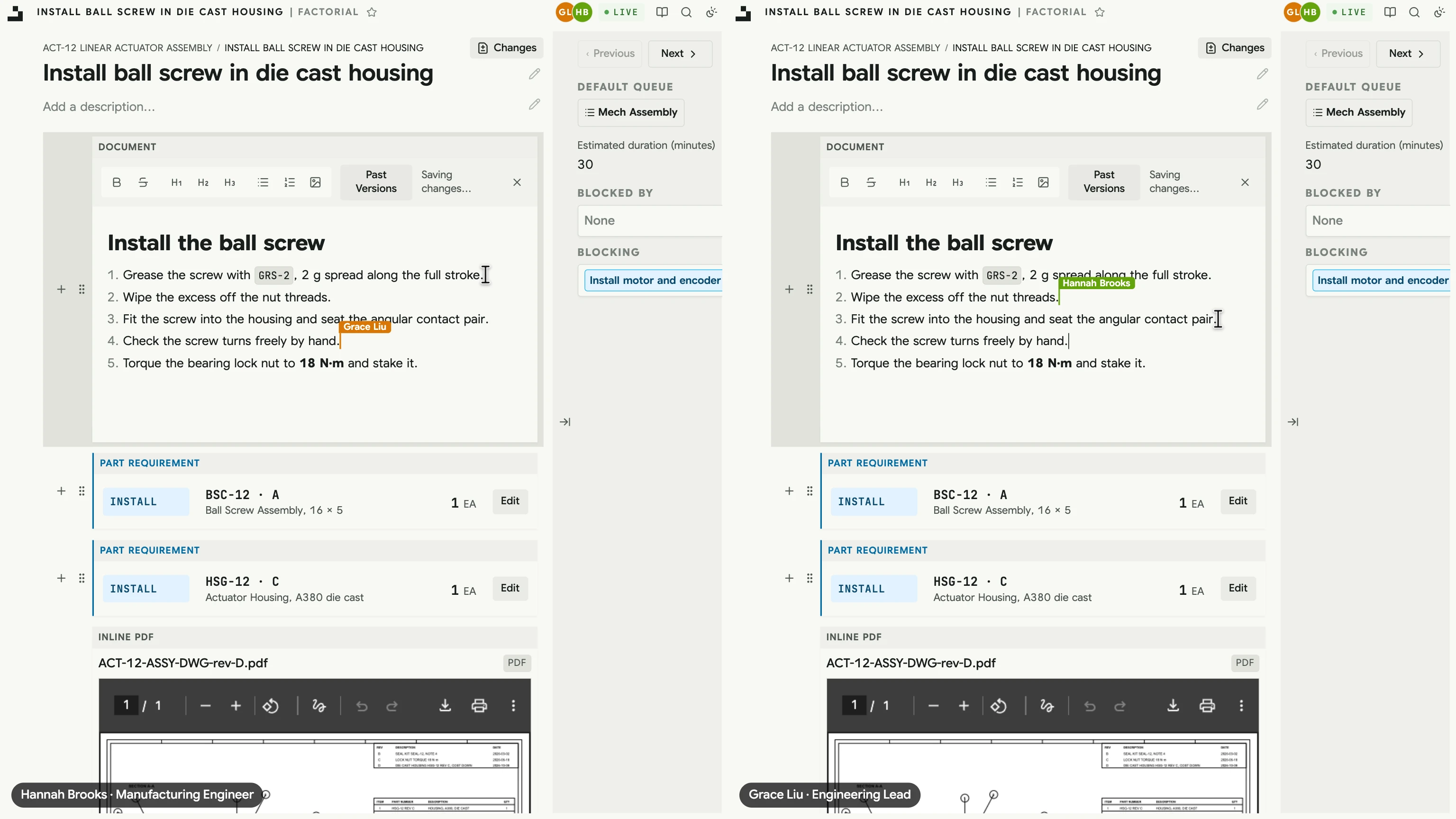
Hannah and Grace editing the same draft step at once, each seeing the other's named caret in the instructions
Jordan's screen on a dyno run: Tomás's named ring on the cell he is filling in, his readings already in the table

07 · Live, together

Two people, one screen, no refresh.

Engineers write instructions together and see each other's cursors as they type. On the floor, a reading entered at the dyno shows on the lead's screen the moment it is saved, and everyone can see who else is on the page and where.

  • → Collaborative editing with named cursors
  • → See who else is on the screen, and where
  • → Every page live, no refresh button

08 · Real factory flow

Queues and boards built for how work actually moves.

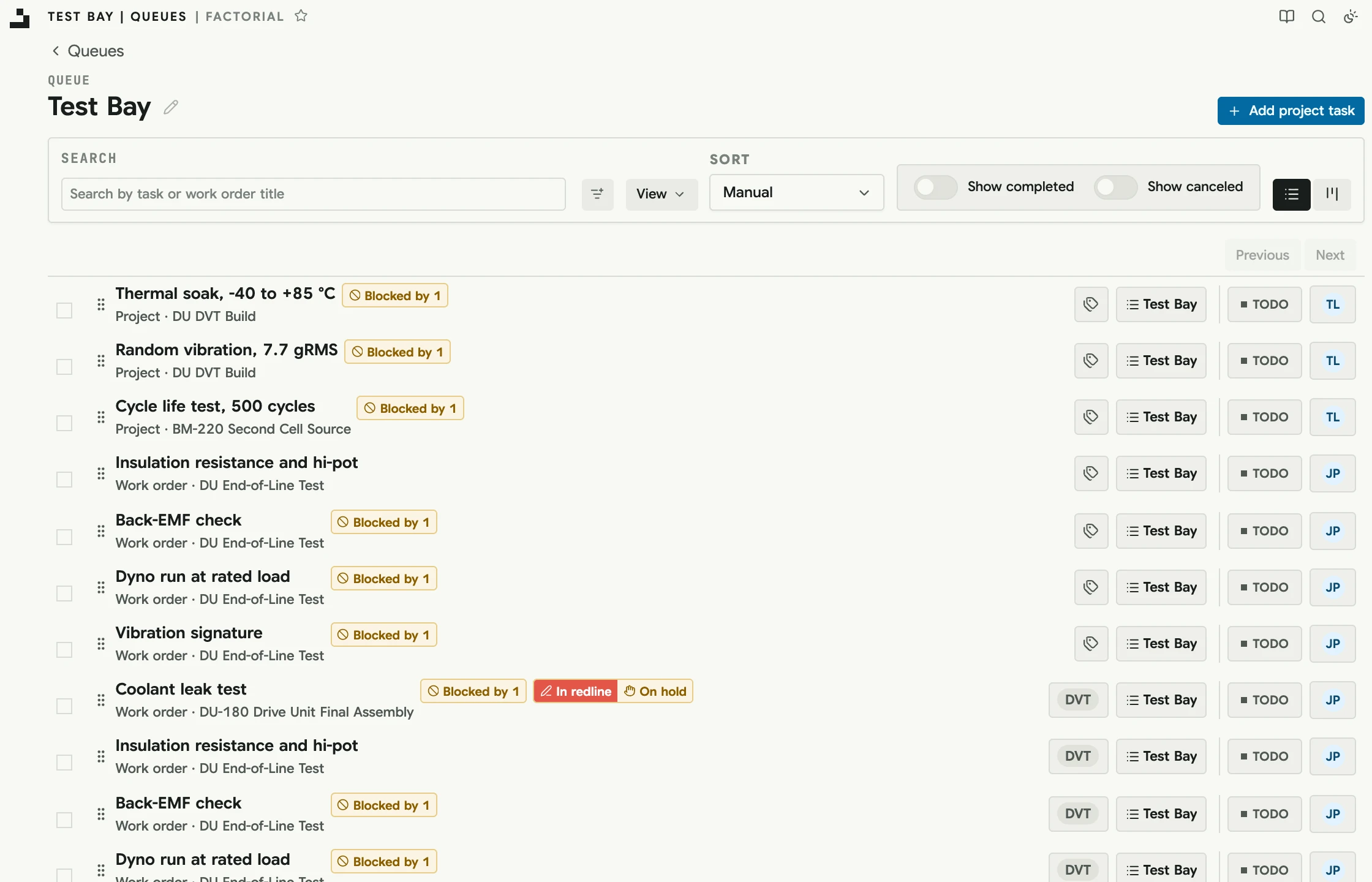
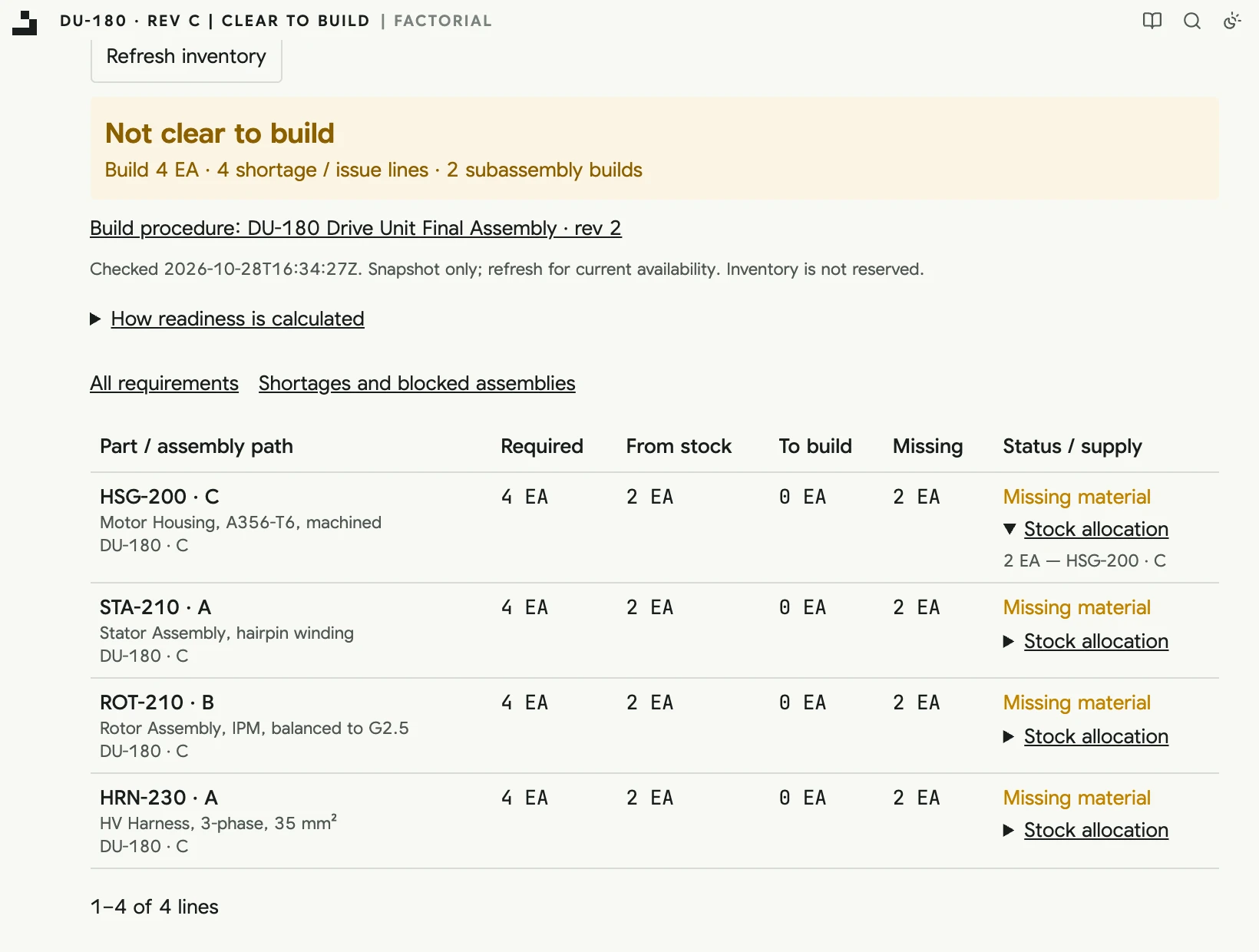
Work lands in the right queue as each step becomes ready, balances across eligible stations, and makes shortages and blocked work obvious as early as possible. Batch, schedule, and track dependencies across work orders and projects.

  • → Station queues and Kanban boards
  • → Blocking and blocked-by across work
  • → Clear to build: what's short before you start
kestrel.factorialhq.com
The Test Bay queue with work order and project tasks, blockers, and holds
Not clear to build: four more DU-180 drive units are two short on each of four parts, with the stock the first short line counted

How we build it

The system your factory runs on should be fast, predictable, and yours.

100ms

p95 target

Performance you can feel, tested with tens of millions of inventory items and tasks.

Live

By default

Screens update as work happens, and you can see who else is looking.

1 binary

Cloud or self-hosted

An application binary, a database, and file storage. Run it with us or on your own infrastructure.

v.pinned

Upgrades on your schedule

Your MES should never change underneath you without warning.

Your data

Always

Complete APIs, bulk export, and SQL access. You own your data.

∀ invariants

Property tested

Core manufacturing invariants are verified with property-based testing.

Documentation

It's all written down.

Over thirty pages on how Factorial works, from parts and procedures to queues, permissions, the API, and self-hosting. Read how it behaves before you ever talk to us.

Read the docs →

Talk to us

Outgrowing spreadsheets and brittle incumbent systems?

Tell us what you build and where things break today. The founders read every message and can walk you through Factorial on processes like yours.

Prefer direct email? orion@factorialhq.com and andrew@factorialhq.com

Full Walkthrough

    Speed