

A technician is halfway through assembling a motor controller when they notice the torque value in the instructions doesn't match the latest drawing. The procedure was reviewed and released. The work order was built from it. And the instructions are wrong for this unit.
Most systems offer two bad options. Stop the line until engineering releases a new procedure revision, or let someone scribble the correction onto a paper traveler and hope the change makes it into the record. The first wastes days. The second is how traceability quietly falls apart.
Factorial has a third option: the redline.
What a redline is
During normal execution, a task's instructions and part requirements come from the released procedure revision, and they cannot be edited. That rule is what makes a released procedure mean something.
A redline is a reviewed change to the content of one work order task. It gives the floor a controlled path to change what a task says on one work order while preserving traceability. Redlines live on the work order. They never change the procedure.
Only tasks that are To do or In progress, on a work order that is itself to do or in progress, can be redlined. Completed and canceled tasks keep what they ran.
Opening one
Select Redline this task on the task page and give a reason. The reason is required, so every change records why it was made.
Opening a redline does two things at once:
- It copies the content the task runs into the redline, where the title, description, and every block can be changed: documents, files, inline PDFs, and part requirements.
- It places a hold on the task, so nobody keeps working from instructions that are about to change.
A task has at most one open redline. People editing the same redline at the same time see each other's changes live, which helps when the process engineer and the technician are fixing it together from opposite ends of the building.
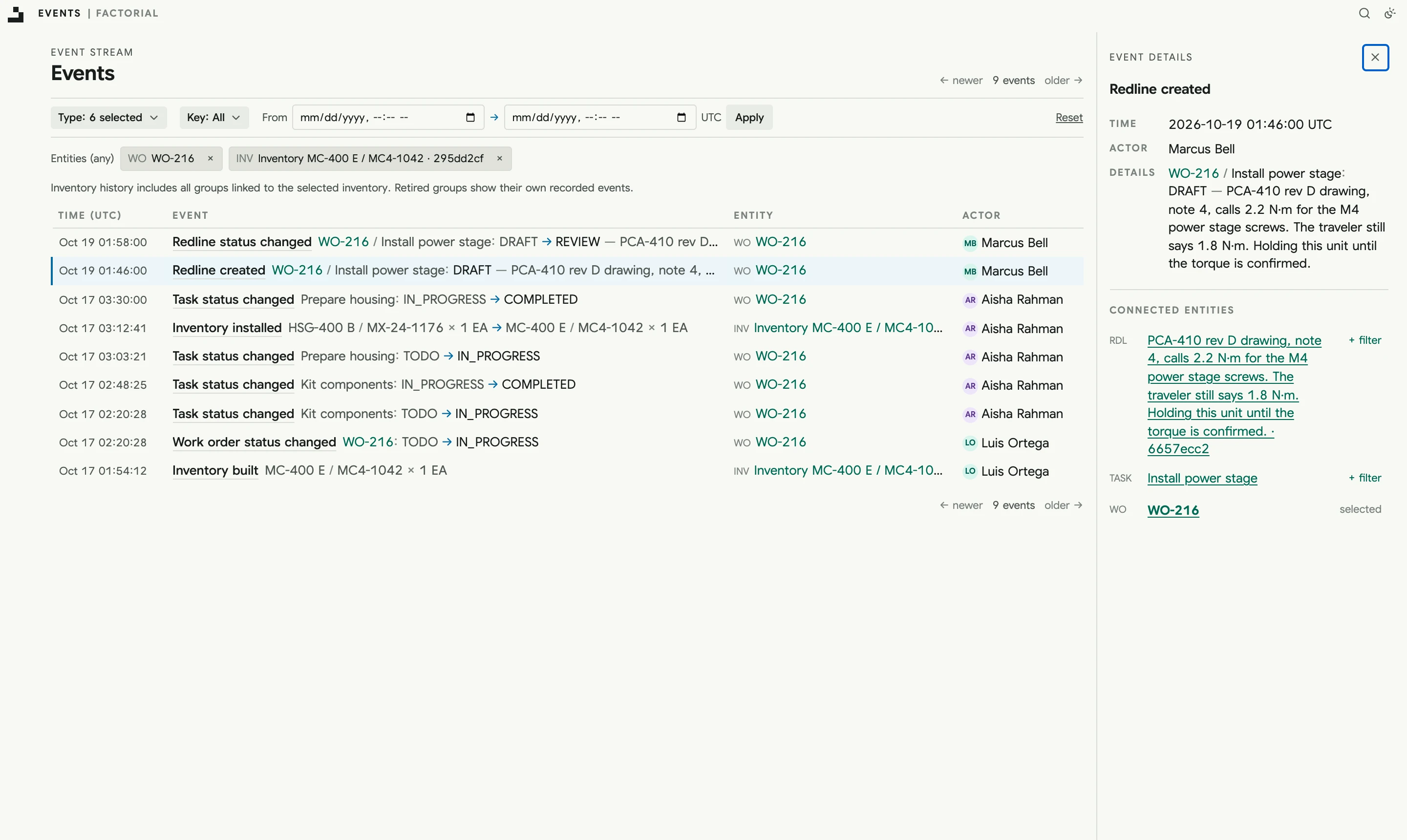
Review, like a procedure
Redlines follow the same review workflow as procedure revisions.
- A new redline starts in Draft, where its content can be edited.
- Submit for review freezes the content and notifies the requested reviewers. Each submission starts a new review cycle, and approvals from earlier cycles no longer count.
- Reviewers approve, request changes, or comment. Only reviews from people with the Approve redline permission count, and approvals from the person who opened or submitted the redline never do.
- To address requested changes, move the redline back to draft, edit it, and submit again.
The number of approvals a redline needs comes from its own review policy, set separately from the procedure policy. A team can require two approvals to release a procedure and one to fix a single task, or the other way around.
Applying it
Once a redline has enough approvals and no outstanding change requests, select Apply to task. The task runs the redline's content from then on and its hold is released.
Nothing is overwritten. The redline's Changes page compares its content with what the task ran before, block by block, and the task links to what the redline changed. A later redline on the same task starts from the content the last one gave it, so a task can be corrected more than once and every step stays readable.
A work order can't be completed while one of its tasks has an open redline. The hold sees to that.
When the answer is no
A reviewer can reject a redline with a comment explaining why, and anyone with the Redline permission can cancel a draft or one in review. Rejected and canceled redlines are closed for good, but they stay on the record. A retry is a new redline, started from the task's current content.
The review record, including reviews, submission notes, and the reason a redline was closed, can't be edited after it's written. The work order's activity feed records every redline opened, reviewed, applied, rejected, or canceled, along with the holds they placed.
Why this matters
Hardware processes change, and they change most while the first units are being built. A system that can't absorb that pushes the change onto paper, into chat, or into someone's head. A redline keeps it in the record: what changed, why, who approved it, and exactly what the task said before.
The procedure itself still changes the normal way, through a new revision with its own review and revision diff. The redline handles the unit in front of you. The revision handles every unit after it.
Read the full details in the docs on redlines.